• Stop Hiding: 5 Ways to Make Yourself Visible in Tech Again

    If you’ve been in tech for a long time but feel invisible to recruiters and hiring managers, it’s probably not your skills that are the problem — it’s your visibility.

    You can be great at what you do, but if no one knows you exist, you’re not even in the race.

    I’ve been a contract developer for more than 20 years. I’ve seen the industry change, and I’ve stayed employed by doing one thing consistently: keeping myself visible. Recently, I doubled down by launching a dedicated tech blog and syndicating my content on X/Twitter and LinkedIn. The result? I’ve had to put my phone on Do Not Disturb because the recruiter outreach hasn’t stopped. And this is in a job market where a lot of developers are seeing zero traction.

    So if you’re wondering why no one’s calling, here’s how to flip that script — fast.

    1. Get on Social (and Use It Properly)

    Create accounts on LinkedIn and X/Twitter at a minimum. These are the public squares for tech professionals. Don’t just lurk — engage. Post a short update about what you’re working on, ask a smart question, or comment thoughtfully on someone else’s post. You don’t have to go viral. You just have to be present.

    2. Start a Tech Blog (Yes, You Still Need One)

    It doesn’t matter if it’s on Substack, Medium, Hashnode, or your own domain. Start writing. Focus on topics you’ve solved in the real world — edge cases, gotchas, patterns that saved the day. Write for other engineers, not Google.

    Once you post something, link to it on LinkedIn and Twitter. That’s how you build a feedback loop.

    3. Refresh and Upload Your Resume — Everywhere

    Create or update accounts on platforms like Dice, Hired, AngelList, Otta, Wellfound, and even Stack Overflow Jobs or GitHub Jobs (if relevant). Upload your resume, turn visibility on, and keep it current.

    Recruiters often run filtered searches on these platforms. If you’re not there — or you’re listed as invisible — you’re out of the pool before the race even begins.

    4. Track Recruiters Like You Track Bugs

    Every time a recruiter reaches out — even if the job isn’t a fit — log them. Create a spreadsheet or simple database of who they are, what firm they work with, what job they were recruiting for, and any follow-up notes. Over time, this becomes a high-value asset: your personal pipeline.

    Good recruiters move around. When they change companies or get a better client roster, you want to be one of the first people they think of.

    5. Consistency Is the Multiplier

    Doing any of the above once won’t move the needle. But doing them consistently will.

    Make a habit of posting once or twice a week. Write a new blog article every month or two. Check in on your visibility settings quarterly. Add recruiter contacts as they come in. Visibility isn’t a one-time project. It’s professional maintenance.

    The Results Speak for Themselves

    In just the past two days, I’ve received 50+ calls and emails from recruiters. Granted, many were for the same 1–2 opportunities — but contrast that with developers who haven’t heard anything in weeks or months. That difference? It’s visibility. Not luck. Not even just skill.

    So, if you’ve been flying under the radar, now is not the time for silence. You don’t need to reinvent yourself — you just need to show up.

    About the Author

    My name is Paul A. Jones Jr., and I am a software engineer and legal tech founder developing tools for professionals in law and other regulated industries. I write about systems thinking, modern workflows, and SaaS applications at PaulJonesSoftware.com. Follow me on Twitter: @PaulAJonesJr.


  • Beyond the Code: The Hidden Value of ‘Human Core Services’ in Software Development

    We talk a lot about code quality, robust architectures, and agile sprints. But what about the most critical system in any software development process: you? Just like the applications we build, our own “human core services” need regular maintenance, bug fixes, and optimization to perform at their best.

    My recent internal changelog even reflected this:

    • Performed scheduled rest and recovery cycle
    • Released mental memory pressure
    • Cleared cache of subconscious problem-solving
    • Enabled background processing of architectural decisions

    Humorous? Yes. Truthful? Absolutely.

    The Grind is Real, But So is the Burnout

    The life of a software engineer often feels like a perpetual grind. There’s always another feature to build, another bug to squash, another deadline looming. It’s easy to get caught in the cycle of pushing harder, longer, and faster. We optimize our code for performance, but rarely apply the same rigor to our own well-being.

    The reality, however, is that an unmaintained “human core service” quickly leads to degraded performance. Fatigue, stress, and mental clutter aren’t just uncomfortable; they’re performance killers. They lead to more bugs, slower progress, and a general decline in the quality of your work. Ever spent hours debugging a problem only to realize the “fix” was something glaringly obvious after a good night’s sleep? That’s your “subconscious problem-solving cache” refreshing.

    Why Downtime is Design Time

    Think of rest and recovery not as time away from work, but as crucial background processing. When you step away from the keyboard, your brain doesn’t just switch off. It’s often busy consolidating information, making connections, and quietly churning on those architectural challenges you were grappling with. That’s “enabled background processing of architectural decisions” in action.

    Scheduled downtime, whether it’s a walk, a hobby, or simply disconnecting, isn’t laziness; it’s a strategic investment in your long-term productivity and creativity. It’s how you “release mental memory pressure” and prevent your cognitive cache from overflowing.

    Practical Tips for Your Own “System Maintenance”

    So, how do we ensure our “human core services” are always running optimally?

    1. Schedule Your Downtime: Just like you’d schedule a deployment, plan your breaks, your evenings off, and your weekends. Treat them as non-negotiable.
    2. Disconnect Fully: When you’re off, be off. Resist the urge to check emails or slack. Give your mind a true break.
    3. Find Your “Cache Clearer”: Whether it’s exercise, meditation, reading, or playing an instrument, find activities that genuinely clear your head and recharge your mental batteries.
    4. Prioritize Sleep: It’s the ultimate overnight defrag. Don’t skimp on it.
    5. Set Boundaries: Learn to say no. Understand your limits and communicate them.

    Neglecting your personal system maintenance will inevitably lead to technical debt in your own life – burnout, stress, and diminished capacity. Just as “the hurried coder who skips the test today will debug twice as long tomorrow,” the engineer who skips self-care today will struggle twice as much with clarity and creativity later.

    What are your go-to strategies for maintaining your own “human core services” amidst the daily grind? Share your tips in the comments!

    About the Author

    My name is Paul A. Jones Jr., and I am a software engineer and legal tech founder developing tools for professionals in law and other regulated industries. I write about systems thinking, modern workflows, and SaaS applications at PaulJonesSoftware.com. Follow me on Twitter: @PaulAJonesJr.

  • My AI Pair Programmer Works as Hard as I Do

    How I Rediscovered My Love for Building With Help From an Invisible Teammate

    When I first started programming, it was exciting—creative, even intoxicating. I came from a background in electronics engineering, and code felt like this unlimited sandbox where I could invent anything. I dove in enthusiastically, thinking I’d found the perfect side hustle or creative outlet.

    But then something quietly happened.
    It became my job.

    As the years passed, coding shifted from being something I wanted to do into something I had to do. Billable hours replaced passion projects. Technical creativity was funneled into client deadlines. And somewhere along the way, I stopped building things for myself.

    That’s when I realized the truth:

    I didn’t love programming anymore.

    I had become a consultant. A good one. But I wasn’t a builder anymore. And worse, I had stopped imagining the kinds of software I might create if I were building just for myself.

    I Thought I Was Getting a Code Assistant—But I Got More

    Then, AI came into my workflow. At first, I treated it like a sharper autocomplete—something to help write boilerplate, refactor code, or validate syntax. Useful, sure. Efficient, yes. But not transformative.

    What I didn’t expect was the companionship it offered—
    A partner that remembered our past discussions.
    A pair programmer that worked when I did.
    A teammate that wasn’t just answering questions, but proposing directions, challenging assumptions, and helping me make decisions I didn’t even know I needed to consider.

    Always Available, Never Tired

    There are nights when I’m deep in the weeds of a tricky design problem. Mornings when I wake up with a vague hunch about how to refactor a service layer. That’s when I fire up the conversation again—and my AI collaborator is right there, picking up where we left off.

    No meeting. No ramp-up. No mental reset.
    Just: “Here’s what I’m thinking.” And off we go.

    The result isn’t just more output—it’s better decisions, made faster. A kind of flow state I haven’t felt in years.

    Continuity Is a Superpower

    The real breakthrough came one morning when I opened up an archived conversation. We had paused in the middle of a database change with far-reaching consequences. Normally, it would’ve taken me half an hour to reconstruct what I was thinking.

    Instead, I scanned our last exchange and everything clicked. The reasoning, the implications, the next steps. I had my to-do list for the day before I even touched my keyboard.

    That’s not a marginal productivity gain—that’s an exponential one.

    It’s Not Just Code—It’s Conversation

    Another surprise? My AI collaborator helped me tell the story of what I was building. It drafted social updates. It polished my writing. It took dense dev-speak and helped me communicate clearly with an audience.

    As a solo builder, you don’t just ship features—you have to sell the vision. And this tool helped me stay articulate and consistent while keeping the momentum going on the technical side.

    “Development Was More Fun Before AI”? Not for Me.

    I read a tweet recently that said, “Development was more fun before AI.” It struck a chord with a lot of people—and got some pushback too.

    But here’s what I think:

    Either that person hasn’t fully integrated AI into their workflow,
    Or they’ve never tried to build something that truly challenges them, in a domain where they have very little background.

    Because I’ve done that kind of building—and it’s not fun. It’s frustrating. It’s full of blind spots, false starts, and research spirals. AI didn’t take the fun away from coding. It brought the joy back.

    Final Thoughts

    What I’ve gained is more than an efficiency tool.
    It’s a co-pilot. A collaborator. A mirror I can bounce ideas off of at any hour.

    And most importantly, it’s helped me reconnect with the part of me that loved programming before it became a job.

    If you’re a serious builder who’s lost a bit of that spark—especially if you’ve been consulting or contracting for years—this may be the thing that gives it back to you.

    Would I recommend this to other developers?
    Absolutely.
    Especially if you’ve been in the game long enough to forget why you got in.

    About the Author

    My name is Paul A. Jones Jr., and I am a software engineer and legal tech founder developing tools for professionals in law and other regulated industries. I write about systems thinking, modern workflows, and SaaS applications at PaulJonesSoftware.com. Follow me on Twitter: @PaulAJonesJr.

  • The Solo Developer’s Agile Advantage

    Why building alone might be the best way to learn agile for real

    When you’re building software alone, you’re not just the developer. You’re the product owner, the scrum master, the project manager — the QA, the software manager, the deployment team, and the database engineer too.

    At first, it can feel like chaos. But over time, something surprising happens; you start to internalize the rhythms of agile. Sprint planning becomes second nature. Prioritization gets sharper. You learn how to break work down, unblock yourself, and ship — without the ceremony.

    In many ways, solo development is agile in its purest form: no meetings, no blame, no bottlenecks. Just honest iteration, with nowhere to hide and everything to learn.

    Wearing Every Hat

    When you’re solo, there’s no “handoff” — just more hats to wear.

    • Product Owner: define the roadmap and say no (a lot).
    • Scrum Master: keep yourself unblocked and on schedule.
    • Developer: build the core logic, UI, and integrations.
    • QA: test, break, fix, and test again.
    • Project Manager: track timelines, manage scope creep, and report to… yourself.
    • Software Manager: ensure quality, velocity, and strategic alignment.
    • Deployment Team: package, ship, and roll back (when needed).
    • DBA/Database Developer: design schemas, write stored procedures, tune queries.

    And every one of those roles has real work attached to it.

    The Real Benefit: Accountability

    In a team, Agile can become theater.
    In a solo project, it becomes survival.

    There are no padding estimates, no long meetings, no finger-pointing. If it’s broken, it’s on you. If it ships, it’s because you shipped it.

    That kind of tight feedback loop makes your process sharper, your decisions clearer, and your skills grow fast. You don’t follow Agile — you live it.

    Practicing Real Agility

    When you’re your own team, a few things become obvious:

    • You ship smaller, faster, and more often — because you have to.
    • You build what matters, because time is limited and the feedback is direct.
    • You automate wisely, because manual steps get exhausting quickly.
    • You learn to let go, because perfect is the enemy of done.
    • You think holistically, because no one else is owning the system but you.

    It’s not just a coding exercise. It’s product development in its rawest, most honest form.

    Final Thought: Lead Yourself First

    If you’ve ever wanted to truly understand agile, ship cycles, or what it takes to run a real dev team — build something alone.

    You’ll feel the pain. But you’ll also feel the clarity.

    Because when you’re playing every role, there’s no room for excuses. Only iteration.

    And once you’ve led yourself well, you’re that much more ready to lead others.

    About the Author

    My name is Paul A. Jones Jr., and I am a software engineer and legal tech founder developing tools for professionals in law and other regulated industries. I write about systems thinking, modern workflows, and SaaS applications at PaulJonesSoftware.com. Follow me on Twitter: @PaulAJonesJr.
  • The Quiet Power of JSON: Structuring Legal Intelligence at Scale

    By Paul A. Jones, Jr. · July 2025

    Most people think of JSON as a simple utility — a way to pass data between frontend and backend, or to store structured values in a flexible way.

    But in building data infrastructure for a complex, rules-driven domain, I’ve come to view JSON as something far more powerful: a foundational medium for scalable intelligence.
    It’s the gateway to organizing knowledge, surfacing insight, and enabling a future where data itself becomes the product.

    Why Rigid Tables Weren’t Enough

    Some domains — especially those involving regulations, timelines, jurisdictional rules, and nuanced user decisions — don’t lend themselves to traditional relational schemas.

    What you’re capturing isn’t just a form submission. It’s a legal interpretation, frozen in time. It’s a reflection of what someone knew, assumed, or chose — under specific constraints.

    And so the question becomes:

    How do you preserve context, complexity, and changeability — without re-architecting your entire database every quarter?

    JSON answered that question for me.

    JSON as a Strategic Foundation

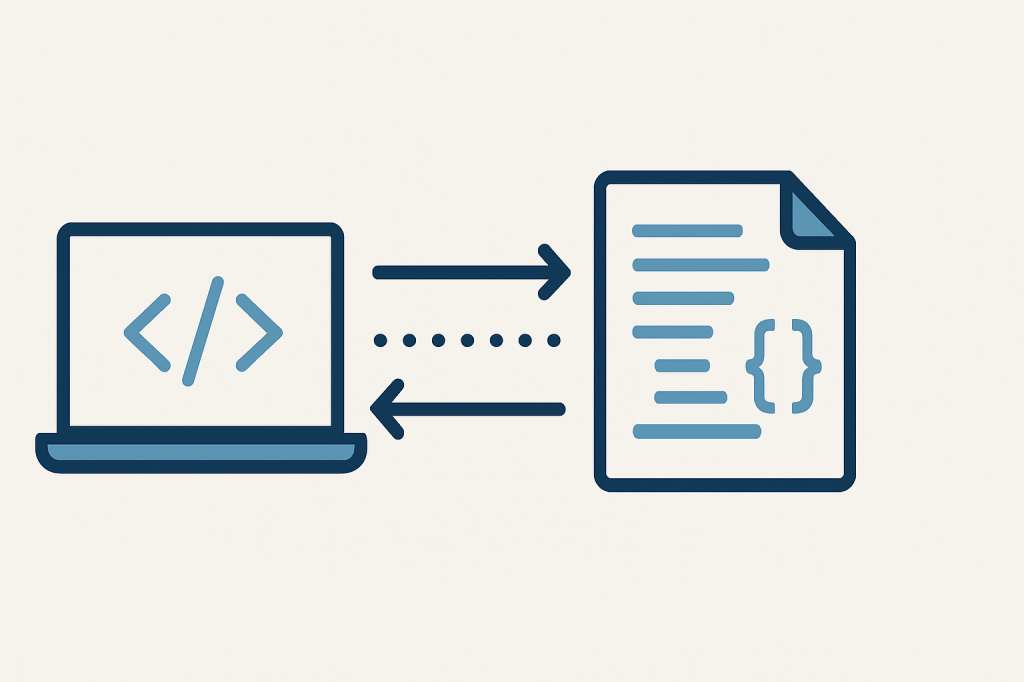
    I chose to store entire calculation sessions — inputs, system decisions, overrides, and generated results — as single, structured JSON documents.

    This wasn’t just for convenience. It was strategic.

    ✅ 1. Preserves Full Context

    Each JSON payload acts as a sealed snapshot. It captures not just what was calculated, but why — including all the conditions, assumptions, and variations involved.

    ✅ 2. Enables Replay and Transparency

    By storing complete, versioned records, I can now support features like:

    • Timeline reconstruction
    • Side-by-side comparisons
    • Change tracking and audits

    Which is essential when your users need to trust what the system tells them.

    ✅ 3. Decouples Storage from Schema Drift

    Adding a new field? Supporting a new jurisdiction? Adapting to new logic?

    With JSON, I can evolve my system incrementally without breaking old records — a lifesaver when designing for a domain that’s anything but static.

    From Storage to Strategy: Unlocking Data-as-a-Service

    Once you’re capturing structured, versioned legal data at scale, something shifts.

    You’re no longer just enabling task completion — you’re developing a structured knowledge asset that grows in value over time.

    JSON becomes the on-ramp to:

    • Search replays
    • Audit-grade data trails
    • Workflow benchmarks
    • Client-facing dashboards
    • (Eventually) AI-powered suggestions and pattern recognition

    This is where data moves from backend artifact to service layer — and opens the door to monetization models you couldn’t access before.

    Respect the Format

    Too often, JSON is treated as a developer shortcut — a duct-tape solution when we can’t agree on table design.

    But with the right discipline, it becomes a first-class citizen in your architecture.

    Don’t just store JSON — respect it:

    • Validate it
    • Version it
    • Document it
    • Query it
    • Learn from it

    Because the more thought you put into how your system emits and consumes structured data, the more composable — and intelligent — your product becomes.

    Looking Ahead

    As development continues, I’m thinking less in terms of static features and more in terms of data flows:

    • Every saved session becomes a building block.
    • Every override becomes a signal.
    • Every user path becomes part of a larger pattern.

    And the connective tissue across all of it? Structured JSON.

    Final Thought

    If you’re designing for complexity — in law, healthcare, finance, or compliance-heavy sectors — take a second look at your approach to data.

    A few years from now, it might not be the code that sets your platform apart.
    It might be your data model — and your ability to replay, reuse, and rethink what’s already been captured.

    JSON won’t make your product. But it might quietly power the one that does.

    About the Author

    My name is Paul A. Jones Jr., and I am a software engineer and legal tech founder developing tools for professionals in law and other regulated industries. I write about systems thinking, modern workflows, and SaaS applications at PaulJonesSoftware.com. Follow me on Twitter: @PaulAJonesJr.

  • Maniac Mode Activated

    I’ve been in what my BFF calls “maniac mode.”
    You know the feeling — when your brain won’t stop solving, the ideas keep stacking, and you’re sprinting between code, product, and business decisions like it’s all one giant puzzle.

    Lately, I’ve been:

    • Tuning a legal tech platform that calculates complex legal deadlines
    • Thinking through client portals, replay services, and monetization paths
    • Writing stored procedures, sketching SaaS tiers, and drafting notes on Black creative legacy —sometimes all in the same day

    It’s exhausting, but electric.
    I wouldn’t trade this stretch of focus and clarity for anything.
    This is the kind of mode where real products get built.
    Where you stop asking for permission and just make it real.

    I’ll rest later. For now, I’m building.

    About the Author

    My name is Paul A. Jones Jr., and I am a software engineer and legal tech founder developing tools for professionals in law and other regulated industries. I write about systems thinking, modern workflows, and SaaS applications at PaulJonesSoftware.com. Follow me on Twitter: @PaulAJonesJr.

  • One Codebase, Many Paydays

    How SaaS Founders Can Multiply Revenue Without Rewriting Everything

    There’s a moment every software developer-turned-founder hits: the realization that building a great product isn’t the same as building a great company. You’ve written the code. Maybe it’s elegant, maybe it’s duct-taped—but it works. Now what?

    If you’re like me, you’re not just trying to ship an app. You’re trying to build a software company. And that means thinking beyond features and into frameworks for monetization, modularity, and market leverage—all from a single codebase.

    Here’s how I’m approaching it.

    🧱 1. Think in Modules, Not Monoliths

    Turn features into revenue streams

    Your codebase isn’t just a product—it’s a portfolio of capabilities. Break it down into monetizable units:

    • A core engine? That’s your base subscription.
    • A visual timeline tool? That’s a premium add-on.
    • A compliance rules engine? That’s an API with usage-based pricing.
    • Admin tooling? That’s a white-label licensing opportunity.

    Each module can be:

    • Bundled into pricing tiers
    • Sold standalone to niche verticals
    • Exposed via API or SDK for integration partners

    The key is to build once, monetize many times.

    🧭 2. Platform Thinking > Product Thinking

    Design for extensibility and ecosystem value

    If your system solves a hard problem—especially one involving compliance, workflows, or domain-specific logic—it’s not just a product. It’s a platform.

    That opens up multiple revenue paths:

    • SaaS for end users
    • PaaS for vendors who want to build on top
    • SDKs for internal dev teams
    • Licensing for enterprise or government use

    The same codebase can serve five different audiences with five different pricing models.

    🎯 3. Segment Your Audience, Not Your Architecture

    Serve multiple markets with one system

    A well-designed, tenant-aware system lets you serve:

    • Solo professionals who need simplicity
    • Mid-size teams who need collaboration and auditability
    • Vendors who want to embed your logic
    • Agencies who need transparency and control

    You don’t need five products. You need one flexible architecture and a smart go-to-market strategy.

    🔁 4. Build the Recurring Revenue Flywheel

    Align pricing with perceived value

    Recurring revenue isn’t just about subscriptions. It’s about value triggers:

    • Per-case or per-project usage
    • Feature gating (e.g., advanced analytics, automation)
    • Data retention tiers
    • Role-based access or multi-office support

    The goal is to align pricing with the value your users feel—not just what they use.

    🧠 5. Monetize the Intangibles

    Leverage your expertise, architecture, and brand

    Your code isn’t your only asset. You also have:

    • Domain expertise → Write the playbook, offer the workshop
    • Architecture → License the framework
    • Brand → Become the trustmark in your niche

    Sometimes the most valuable thing you’ve built isn’t the product—it’s the positioning.

    🧩 Final Thought: One Codebase, Infinite Leverage

    Design for optionality from day one

    If you’re still in the build phase, don’t wait to think about monetization. The earlier you design for modularity and market fit, the more leverage you’ll have when it’s time to scale.

    You don’t need five apps. You need one codebase that knows how to pay for itself—five different ways.

    Coming Soon on the Blog:

    • SaaS Architecture for Solo Developers
    • How I Handle Roles and Permissions in My SaaS
    • Pricing Models That Actually Work

    If this sounds like a journey you want to follow, subscribe or check back every Monday and Thursday at PaulJonesSoftware.com. You can also follow me on Twitter/X at @paulajonesjr.

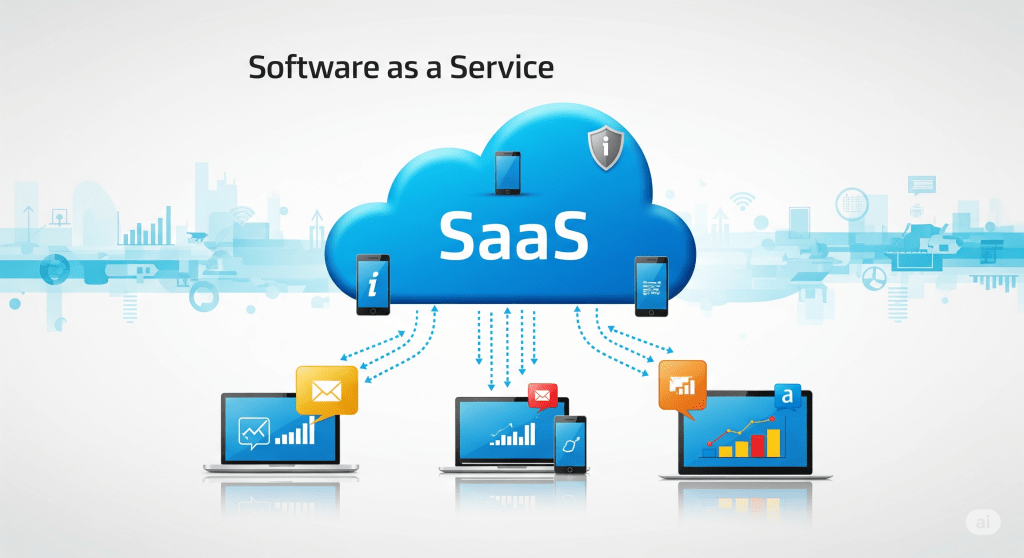
  • SaaS 101: A Practical Introduction to Software as a Service

    A developer-friendly guide to what SaaS is, how it works, and why it’s changing the way we build and deliver software.

    If you’ve ever used Gmail, Dropbox, or QuickBooks Online, you’ve already interacted with a SaaS product. But what exactly is SaaS? And what does it mean when someone says they’re “building a SaaS”? Whether you’re a software developer, aspiring founder, or simply curious about modern software delivery models, this article offers a practical introduction to Software as a Service—what it is, how it works, and why it matters.

    What is SaaS?

    SaaS (Software as a Service) is a method of delivering software over the internet as a subscription service rather than as a one-time product. Instead of downloading and installing software on your own hardware, you access it through a browser—anytime, anywhere.

    The SaaS model is built around ongoing relationships: the user subscribes and pays regularly (monthly or annually), and the provider continuously maintains, updates, and hosts the application.

    Key Features of SaaS:

    • Cloud-hosted: No local installation needed.
    • Subscription-based pricing: Pay-as-you-go or tiered pricing models.
    • Multi-tenant architecture: One codebase, many customers.
    • Automatic updates: No patching or version management by the user.
    • Scalable delivery: Infrastructure can grow with demand.

    Common SaaS Terms You’ll Hear

    Here are a few foundational terms to understand when diving into the SaaS world:

    • Tenant: A single paying customer or organization using your SaaS product.
    • MVP (Minimum Viable Product): The simplest version of a product that solves a core problem.
    • Churn: The rate at which customers cancel their subscriptions.
    • ARR / MRR: Annual or Monthly Recurring Revenue.
    • Onboarding: The process of getting new users up and running.
    • Multi-tenancy: A design where a single instance of the software serves multiple customers.

    Why Users Love SaaS

    For users—whether individuals or organizations—SaaS offers several compelling benefits:

    • Low upfront cost: No expensive licensing fees or hardware required.
    • Zero maintenance burden: The provider handles updates, backups, and server maintenance.
    • Access from anywhere: Browser-based access makes remote work seamless.
    • Frequent improvements: New features roll out continuously.

    Why Developers Build SaaS Products

    From a developer or founder’s perspective, SaaS is appealing because it creates the opportunity for recurring revenue and long-term customer relationships. Here’s why developers increasingly choose the SaaS route:

    • Predictable income: Subscriptions offer consistent, growing revenue.
    • Compounding growth: Each new subscriber adds to the revenue baseline.
    • Tighter customer feedback loops: You can release, iterate, and improve faster.
    • Low distribution costs: With cloud infrastructure, you can serve a global audience from day one.

    Challenges of Building SaaS

    Of course, nothing worth building is ever easy. SaaS comes with its own set of architectural and operational challenges:

    1. Security and Compliance

    When you’re storing customer data—especially sensitive or regulated data—security is paramount. Encryption, access controls, and compliance (GDPR, HIPAA, etc.) become table stakes.

    2. Multi-tenancy Complexity

    Serving multiple customers from a single codebase and database sounds efficient—but introduces tricky challenges around data isolation, tenant-based configuration, and authorization logic.

    3. Uptime Expectations

    SaaS users expect 24/7 availability. That means monitoring, backups, disaster recovery, and infrastructure that scales without crumbling.

    4. Billing and Subscription Management

    Integrating with payment gateways, handling failed payments, issuing refunds, managing upgrades/downgrades—it’s more complex than it looks.

    5. User Support and Onboarding

    Technical excellence won’t save a product that’s too confusing to use. Good SaaS also means good documentation, support workflows, and onboarding UX.

    Real Talk: SaaS Isn’t Passive Income (At First)

    There’s a myth floating around that SaaS is a “set it and forget it” business model. In truth, SaaS requires active development, customer service, bug fixing, and marketing—especially in the early stages. Over time, though, the compounding nature of subscription revenue can shift the balance toward more sustainable growth and lifestyle-friendly income.

    Who Should Build a SaaS?

    • Developers who want to productize their skills
    • Domain experts who understand a niche inside and out
    • Entrepreneurs looking for long-term, scalable income streams
    • Freelancers and consultants who want to move from time-for-money to asset ownership

    Final Thoughts

    SaaS isn’t just a buzzword—it’s a shift in how software is built, sold, and maintained. For developers like me who are building a product on nights and weekends, it offers a unique opportunity to create long-lasting value and independence. If you’ve ever dreamed about owning your own product, SaaS is one of the most accessible ways to get started.

    In future posts, I’ll dive into lessons I’ve learned building my own SaaS from the ground up—including how to design for multitenancy, how I price and package subscriptions, and what nobody tells you about going from zero to launch.

    Coming Soon on the Blog:

    • SaaS Architecture for Solo Developers
    • How I Handle Roles and Permissions in My SaaS
    • Pricing Models That Actually Work

    If this sounds like a journey you want to follow, subscribe or check back every Monday and Thursday at PaulJonesSoftware.com. You can also follow me on Twitter/X at @paulajonesjr.

  • When Code Begins to Explain Itself
    Posted on PaulJonesSoftware.com
    By Paul A. Jones, Jr.


    There’s a quiet shift happening in how I think about software.

    At first, it was about compliance — tracking what happens in a system, logging every event for auditing purposes. But something has changed. The deeper I dig into application-level telemetry, structured audit trails, and self-instrumented behavior, the more I realize: we’re crossing into a new territory of software engineering.

    This isn’t just about tracking what a user does. It’s about helping a system understand itself — where it’s running, who is using it, what jurisdiction governs the request, and how to behave accordingly.

    We’re talking about software that self-observes, adjusts its verbosity based on IP address, restricts access based on regional constraints, and toggles internal diagnostics based on who’s logged in — all without being told explicitly to do so.

    Imagine systems that turn self-auditing on or off depending on:

    • The user’s role
    • The request’s geographic origin
    • The environment (prod vs. test)
    • Even the user interface they’re interacting with

    And imagine those systems storing that information in well-organized data lakes — raw behavioral breadcrumbs ready for forensic analysis, compliance snapshots, or debugging insight.

    What started as a technical feature has slowly become a philosophy of system design.

    A Nascent Field?

    I’ve started to think of this as a new academic discipline. Not cybersecurity. Not DevOps. Not classical software engineering.

    This is behavioral software engineering — a branch of computer science that treats software not just as code that runs, but as systems that act, record, and explain.

    It overlaps with AI, but it’s not AI.
    It overlaps with observability, but it’s not just metrics and traces.

    It’s something else. Something that might one day deserve its own curriculum. And maybe, just maybe, its own academic major.

    From Debugging to Design

    This new lens has even changed how I refactor.

    Today, I spent hours moving logging responsibilities out of the stored procedures and into the application layer — where they belong. Why? Because systems should know why they’re logging what they’re logging. It’s not just about writing to a table — it’s about understanding context.

    I’ve begun designing repositories that don’t just execute commands but narrate what happened and why. The software is slowly developing a kind of self-awareness — not in the sci-fi sense, but in the audit-log sense.

    What Comes Next

    I can see this going further. Systems that feed behavioral data into machine learning models. Platforms that detect anomalies in how they’re being used. Infrastructure that adjusts in real time, not just for performance, but for accountability.

    I’m not quite ready to unveil the products I’m building in this space — they’re still in the oven. But I’m sharing this post as a marker. A timestamp. A way to say: this is the direction things are headed, and I want to help define it.

    If you’re building compliance-focused systems, observability tools, or software that learns from its own behavior, let’s talk.


    About the Author

    Paul A. Jones, Jr.
    B.S., Electrical Engineering & Physics (Clemson ’91, ’93)
    M.S., Software Engineering (Mercer ’09)

    📬 pauljonessoftware@gmail.com
    🐦 @PaulAJonesJr
    🌐 PaulJonesSoftware.com